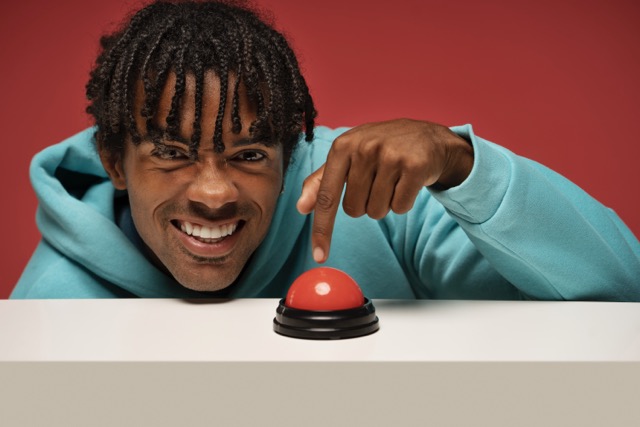
Kids love a big red button. Give them one, add some silly sounds and a game show on the TV, and you have a party activity that keeps a room full of children busy and laughing. If you have old PlayStation Buzz! controllers lying around, you can run birthday party games that need no props, little preparation and almost no clean-up.
Why Buzzers Are Great at a Kids' Party
- Easy for every age: Most games only need one button, so even kids who can't read yet can play.
- Funny sounds: Each buzzer can have its own animal or instrument sound. Expect a lot of lion roars and sheep noises.
- Fair results: The screen decides who was first or who's out, not the adult in charge.
- Short games: Most rounds take a minute or two, so kids are never waiting long for a turn.
What You Need
- A set of PS2 or PS3 Buzz! controllers. One set = 4 buzzers, so 4 kids play at a time.
- A Windows or Mac laptop, ideally connected to the TV.
- Desktop Chrome, Edge or Opera. Safari, Firefox, phones and tablets can't connect to the controllers.
- Access to the game modes (see pricing).
Setup Before the Party
- Test the controllers with the free connection test: click "Connect Buzz Controller", pick the Buzz device in the pop-up and press every button. If you use wireless controllers, put in fresh AA batteries.
- Open the game modes with your access link, go to Settings and connect.
- Choose kid-friendly sounds. The Animals and Instruments packs are perfect. Skip the Memes pack, as some of those sounds aren't meant for children.
- Type the names of the first four players, or use colors ("Red Team", "Blue Team") so you don't have to change the names every round.
- Upload party music for Musical Chairs in its settings, if you want to use the birthday child's favorite songs.
The Best Game Modes for Kids
- Musical Chairs: The music plays, and everyone buzzes as soon as it stops. The last one to buzz is out, and buzzing too early means you're out straight away. Choose manual control to stop the music yourself and build suspense.
- Hot Potato: Press your button to pass the potato to the next player before it explodes. It explodes at a random moment, and whoever is holding it is out. Turn on "Hide Timer" for extra suspense.
- Countdown Panic: Buzz before the countdown reaches zero. The last to buzz is out, and the countdown gets faster every round.
- Button Masher: Who can press the button the most times in 10 seconds? Simple, loud and very popular.
- Simon Says: Watch the sequence of colored buttons on screen and repeat it. Start on easy for younger kids.
- Quiz Show: For kids who can read (or with an adult reading the questions out loud). Type in your own easy questions, or questions about the birthday child.
Ready-to-Use: 60-Minute Party Plan (Ages 6 to 10)
- 10 minutes, Button Masher heats. Groups of 4 kids, one round each. Everyone gets to try the buzzers straight away.
- 15 minutes, Musical Chairs. Play with the birthday child's favorite music. The winners of each heat go through to a final.
- 10 minutes, cake break.
- 15 minutes, Kids' Quiz Show. Four teams, one buzzer per team, using the 10 questions below. An adult reads each question out loud.
- 10 minutes, Hot Potato final. The birthday child plays in the final round, of course.
10 easy quiz questions for kids
- How many legs does a spider have? (Eight)
- What color do you get when you mix blue and yellow? (Green)
- Which animal is called the king of the jungle? (The lion)
- How many days are there in a week? (Seven)
- What do bees make? (Honey)
- What is the biggest planet in our solar system? (Jupiter)
- What is frozen water called? (Ice)
- How many sides does a triangle have? (Three)
- What is a baby frog called? (A tadpole)
- What is the name of the planet we live on? (Earth)
Tips for a Happy Party
- More than 4 kids? Play in heats of 4 and let the winners play a final, or play in 4 teams with one buzzer each.
- Keep the knocked-out kids busy. Let them be the "audience" who cheers, or let them help you decide when to stop the music.
- Tape down the cables of wired controllers, or use wireless controllers if kids are running around.
- Prizes for everyone. A small sticker for each player, and something special for the winners.
- Watch the volume. Ten kids and ten animal sounds get loud quickly.
Planning more family fun? Try our Christmas family quiz ideas. Teaching too? See quiz buzzers for the classroom.
FAQs
- What age is this suitable for? The one-button games (Musical Chairs, Hot Potato, Button Masher and Countdown Panic) work for young children who can't read yet. Quiz Show works from about age 6 if an adult reads the questions out loud.
- How many kids can play at once? One set has 4 buzzers. With more kids, play in heats or teams.
- Can I use the birthday child's favorite songs? Yes. Upload your own music in the Musical Chairs settings.
- Does it work on a tablet? No. Use a laptop or desktop computer with Chrome, Edge or Opera. Safari, Firefox, phones and tablets can't connect to the controllers.
- Can I try the controllers first? Yes. The connection test is free and shows every button press.